Back to BlogTypeScript 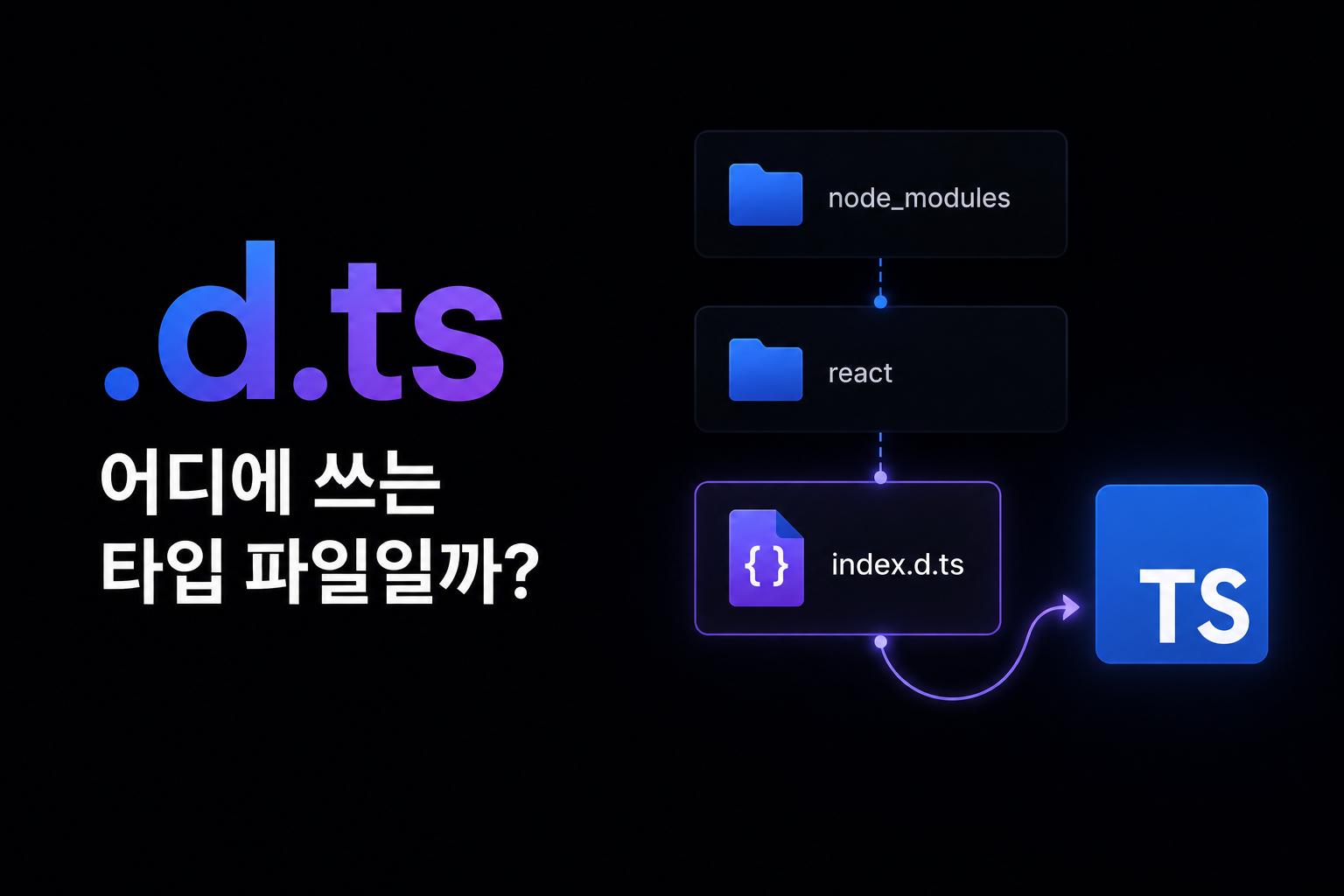
.d.ts은 어디에 쓰는 타입 파일일까
라이브러리 타입 에러가 왜 나는지 모르겠다면 node_modules의 안쪽 .d.ts 파일을 직접 읽으면 된다. 점 두 개 달린 파일이라고 기죽을 필요는 없다. d.ts파일에 대해 알아보자
December 05, 2025
typescriptdeclaration-filesd.tstype-definitionslibrary-types
라이브러리를 쓰다가 타입 에러가 나면 대부분 구글링하거나 AI에 물어보기부터 한다.
스택오버플로우 답변이 옛버전 기준이거나, 찾는게 없을 때(일단 AI는 제쳐두자),
빠른 방법이 있다. .d.ts 파일을 직접 여는 것이다.
VSCode에서 함수나 타입 위에 마우스를 올리면 Go to Definition이 뜬다.
거기서 F12를 누르면 해당 라이브러리의 타입 선언 파일로 바로 이동한다.
이걸 읽을 수 있다면 보다 정확한 정보를 볼 수 있을 것이다.
.d.ts 파일이 뭘까
TypeScript는 컴파일하면 .js 파일이 나온다. .d.ts는 그 .js에 대응하는 타입 선언만 모아둔 파일이다.
src/
  index.ts   →   dist/
                   index.js    ← 실제 실행 코드
                   index.d.ts  ← 타입 선언만
라이브러리가 JavaScript로 배포될 때 .d.ts를 함께 제공하면 TypeScript 프로젝트에서 타입 정보를 쓸 수 있다.
.d.ts 안에는 구현이 없다. 선언만 있다.
// index.d.ts
export declare function fetchUser(id: number): Promise<User>;
export declare interface User {
  id: number;
  name: string;
}
declare 키워드는 "이 값이 어딘가에 존재한다고 선언한다"는 뜻이다. 구현은 .js 파일에 있고, .d.ts는 TypeScript 컴파일러에게 타입 정보만 알려준다.
어디에 있을까
크게 두 곳이다.
1. 라이브러리 패키지 안
node_modules/
  axios/
    index.d.ts     ← 패키지가 직접 포함
    package.json
package.json의 types 또는 typings 필드가 진입점을 가리킨다.
{
  "types": "index.d.ts"
}
2. @types 패키지
타입을 직접 포함하지 않는 라이브러리는 DefinitelyTyped에서 별도 패키지로 제공한다.
node_modules/
  @types/
    lodash/
      index.d.ts   ← npm install @types/lodash 로 설치
@types/lodash를 설치하면 lodash의 타입이 자동으로 인식된다.
실제로 읽어보기 — axios
axios를 예로 들면 이런 구조다.
// node_modules/axios/index.d.ts (단순화)

export interface AxiosRequestConfig<D = any> {
  url?: string;
  method?: Method | string;
  baseURL?: string;
  headers?: RawAxiosRequestHeaders;
  params?: any;
  data?: D;
  timeout?: number;
  // ...
}

export interface AxiosResponse<T = any, D = any> {
  data: T;
  status: number;
  statusText: string;
  headers: RawAxiosResponseHeaders;
  config: InternalAxiosRequestConfig<D>;
  request?: any;
}

export interface AxiosInstance {
  get<T = any, R = AxiosResponse<T>, D = any>(
    url: string,
    config?: AxiosRequestConfig<D>
  ): Promise<R>;

  post<T = any, R = AxiosResponse<T>, D = any>(
    url: string,
    data?: D,
    config?: AxiosRequestConfig<D>
  ): Promise<R>;
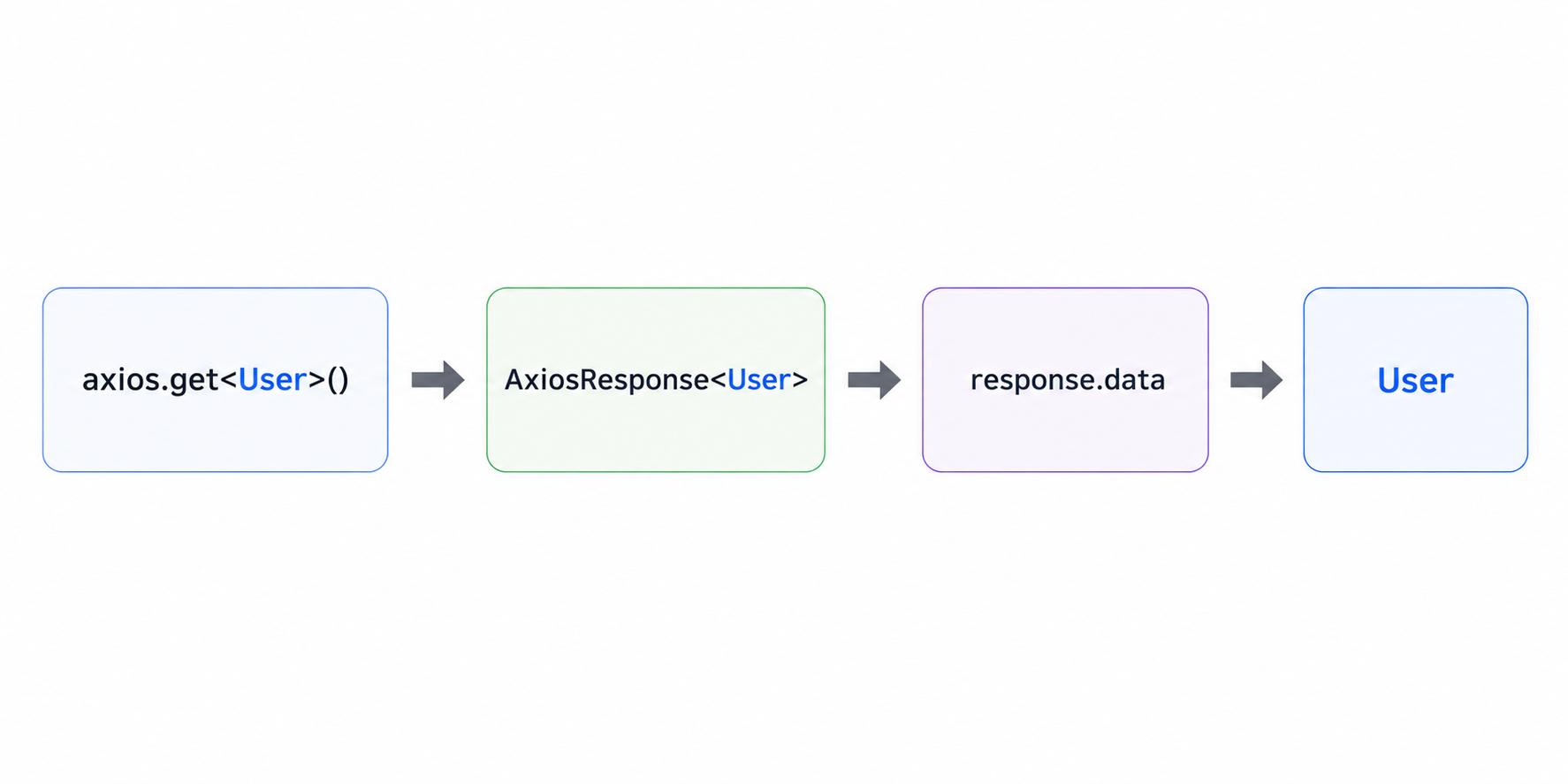
}axios.get<User>("/api/user")를 쓸 때 T = User가 들어가면 AxiosResponse<User>가 반환된다. .data의 타입이 User가 되는 이유가 여기 있다.
선언 구문 읽는 법
.d.ts에 자주 나오는 구문들.
declare
declare const VERSION: string;
declare function parse(input: string): object;
declare class EventEmitter { ... }
declare namespace Utils { ... }
구현 없이 타입만 선언한다. .d.ts에서는 declare가 기본이다.
export declare
export declare function createStore<S>(reducer: Reducer<S>): Store<S>;외부에서 import할 수 있는 선언이다. 대부분의 라이브러리 API가 이 형태다.
namespace
declare namespace NodeJS {
  interface ProcessEnv {
    NODE_ENV: "development" | "production" | "test";
    PORT?: string;
  }
}
전역 타입을 묶는 구조다. process.env.NODE_ENV에 타입이 생기는 이유가 이런 선언 때문이다.
오버로딩
declare function createElement(tag: "div"): HTMLDivElement;
declare function createElement(tag: "span"): HTMLSpanElement;
declare function createElement(tag: string): HTMLElement;
같은 함수를 여러 시그니처로 선언한다. 입력 타입에 따라 반환 타입이 달라질 때 쓴다.
커스텀 .d.ts 작성 — 타입 없는 라이브러리 대응
@types도 없고, 라이브러리 자체에도 타입이 없는 경우가 있다.
오류: 모듈 'some-old-library'에 대한 선언 파일을 찾을 수 없습니다.
이럴 때 직접 선언 파일을 만든다.
src/
  types/
    some-old-library.d.ts
// some-old-library.d.ts

declare module "some-old-library" {
  export function doSomething(input: string): void;
  export const version: string;
}
완전하게 만들 필요 없다. 당장 쓰는 것만 선언해도 된다.
빠른 우회
타입을 제대로 만들기 전에 일단 에러를 없애고 싶으면.
declare module "some-old-library";모듈 전체를 any로 취급한다. 임시방편으로만 쓰는 게 맞다.
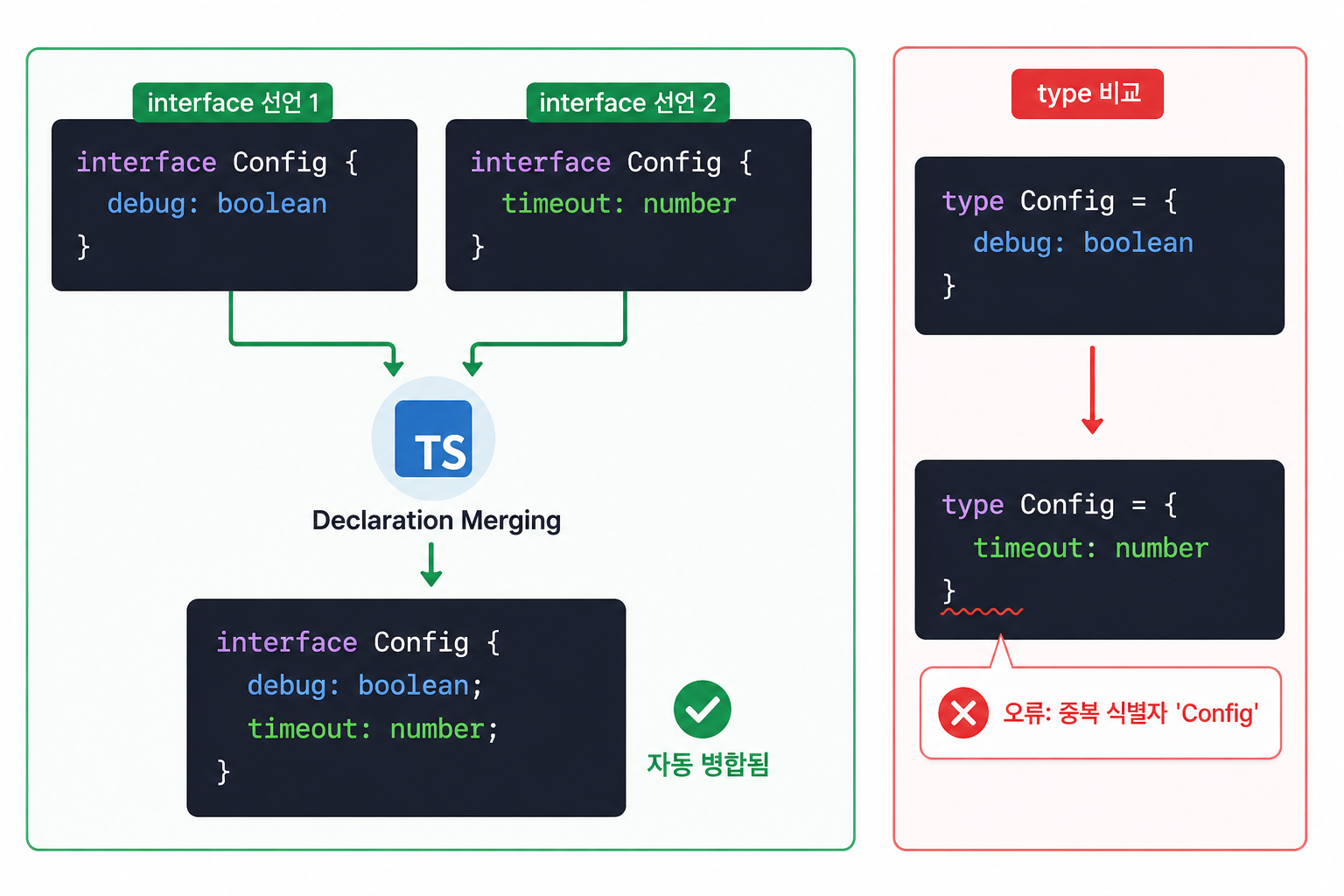
전역 타입 확장 — 선언 병합 실전
.d.ts에서 선언 병합으로 기존 타입을 확장할 수 있다.
Express Request에 user 주입
// src/types/express.d.ts

declare namespace Express {
  interface Request {
    user?: {
      id: number;
      email: string;
    };
  }
}
이 파일 하나로 Express의 req.user에 타입이 생긴다.
Window 객체에 커스텀 프로퍼티 추가
// src/types/global.d.ts

interface Window {
  gtag?: (command: string, ...args: unknown[]) => void;
  __REDUX_DEVTOOLS_EXTENSION__?: () => unknown;
}window.gtag나 window.__REDUX_DEVTOOLS_EXTENSION__에 접근할 때 타입 에러 없이 쓸 수 있다.
process.env 타입 추가
// src/types/env.d.ts

namespace NodeJS {
  interface ProcessEnv {
    NEXT_PUBLIC_API_URL: string;
    DATABASE_URL: string;
    JWT_SECRET: string;
  }
}process.env.NEXT_PUBLIC_API_URL이 string | undefined가 아닌 string이 된다.
tsconfig와 .d.ts 파일 인식
직접 만든 .d.ts 파일이 인식되려면 tsconfig.json에 포함되어야 한다.
{
  "compilerOptions": {
    "typeRoots": ["./node_modules/@types", "./src/types"]
  },
  "include": ["src/**/*"]
}
src 안의 파일을 전부 포함하면 src/types/*.d.ts도 자동으로 인식된다.
전역 선언(namespace 사용)은 import/export 없이 파일을 작성해야 전역으로 처리된다.
// 이렇게 쓰면 전역 선언으로 처리됨
interface Window {
  myProp: string;
}

// 이렇게 쓰면 모듈 파일이 되어 전역 선언이 안 됨
export {};
interface Window {
  myProp: string;
}export가 있으면 모듈 파일이 된다. 전역 타입을 확장하려면 export 없이 써야 한다.
정리
.d.ts는 어렵지 않다.
declare는 구현 없이 선언만 한다는 뜻이고, 나머지는 그냥 TypeScript 문법이다.
라이브러리 타입이 이해 안 될 때 바로 파일을 열어서 보는 습관을 들여보자.
자주 쓰는 상황 요약:
| 상황 | 방법 |
|---|---|
| 라이브러리에 타입 없음 | declare module "lib-name" { ... } |
| Express req에 타입 추가 | declare namespace Express { interface Request { ... } } |
| window에 프로퍼티 추가 | interface Window { ... } |
| process.env 타입 지정 | namespace NodeJS { interface ProcessEnv { ... } } |
| 빠른 우회 | declare module "lib-name"; |